


Why did settings disappear / not get saved after a reboot?
Answer:
If you normally work in the CLI, you’re used to running copy running-config startup-config or write memory before rebooting so your changes stick.
The same principle applies in the web interface:
- 1. After making any changes, go to System → Save Configuration。
- 2. Click Save Configuration,將目前(Running)to write the current (running) settings to flash.
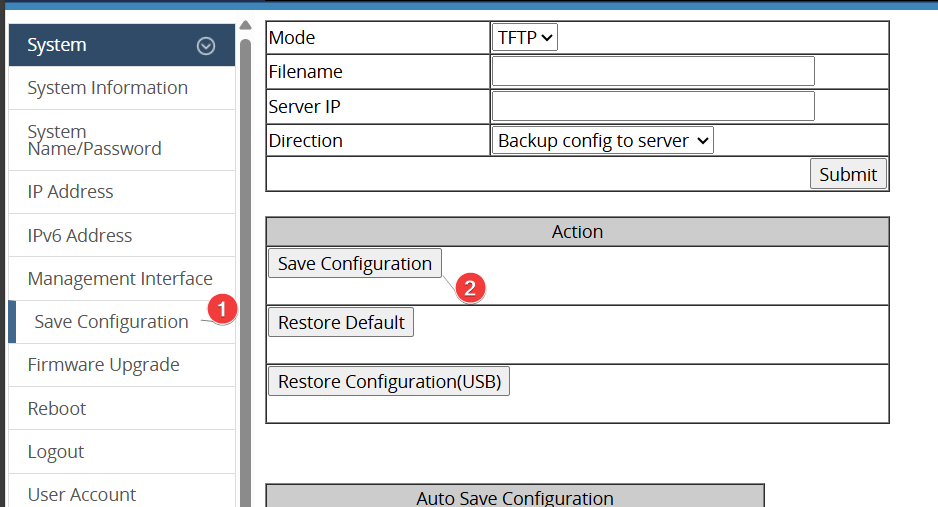
Note:Buttons such as Update Setting or Submit only update the running configuration—they don’t commit it to flash. If you skip the save step, the device will start up with the old configuration and your new settings will be gone.


